Gather references, make art, and learn.
Reference boards for iPad and Android, open beside the app you draw in — and a home for the work when it's done.


Reference boards for iPad and Android, open beside the app you draw in — and a home for the work when it's done.
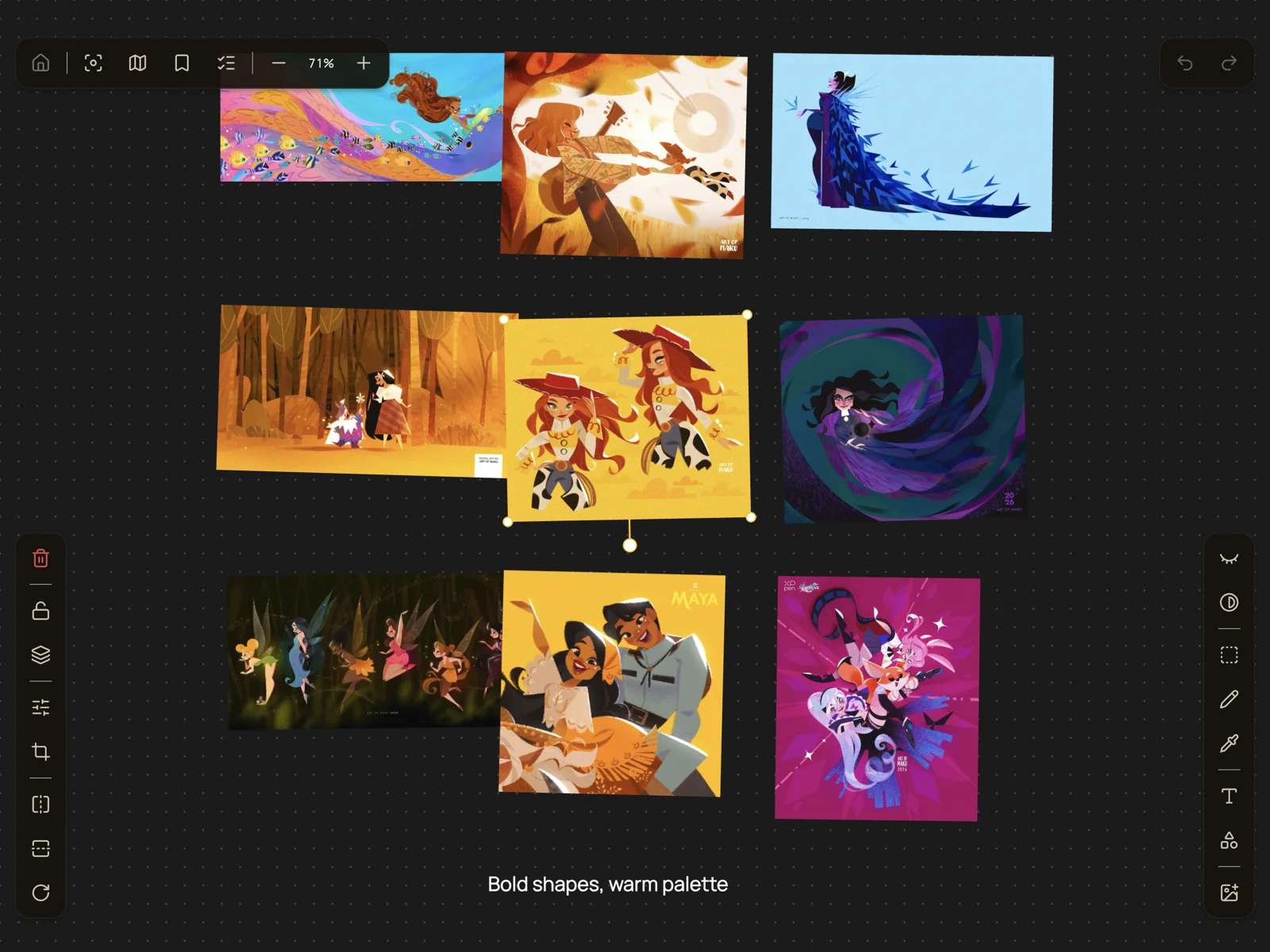
Artwork shown: Maku
Everything you’re working from, on one canvas, arranged until it reads.
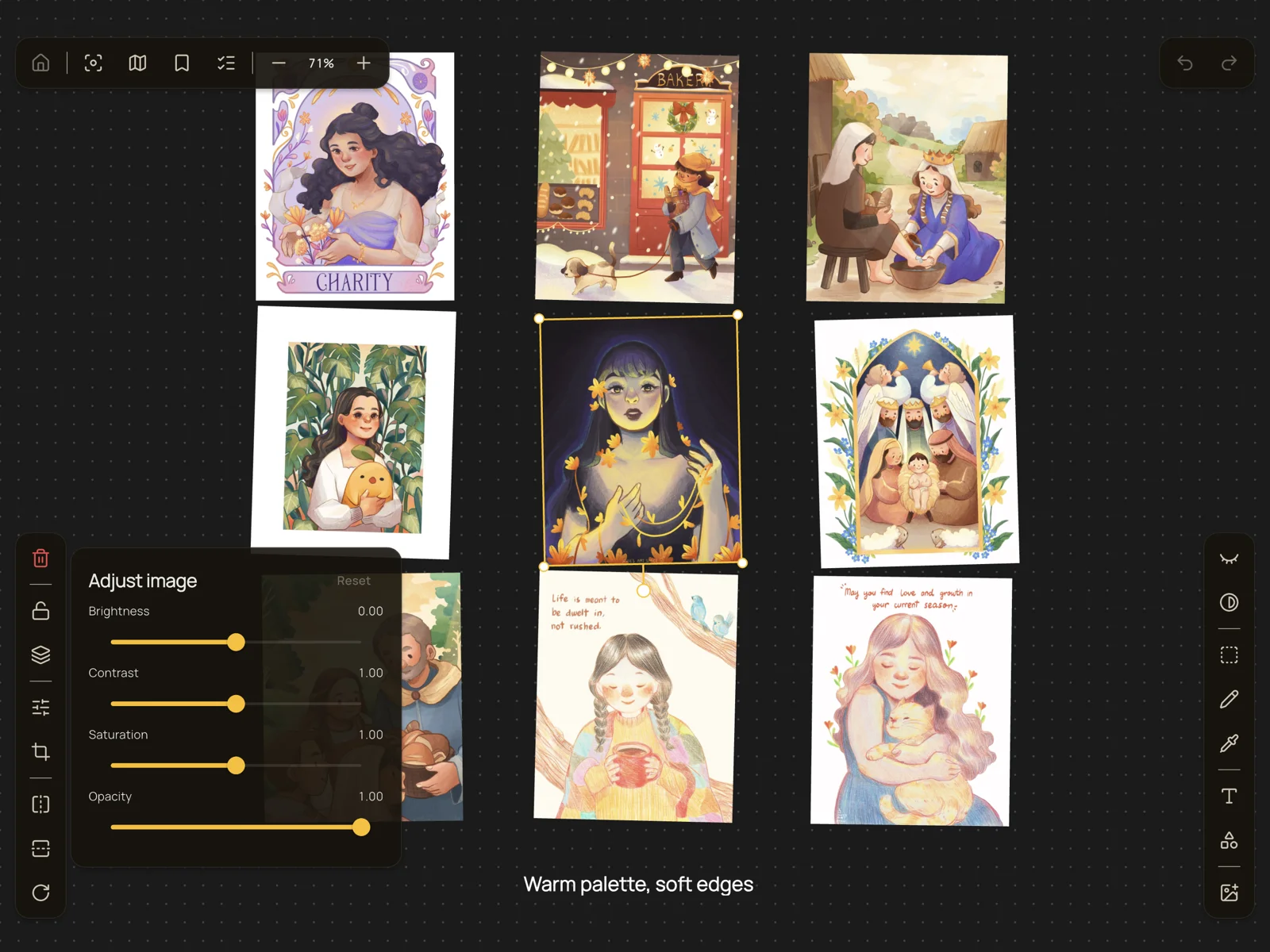
Import from Photos, your camera, Files, a web link or the share sheet, then arrange it however you think.
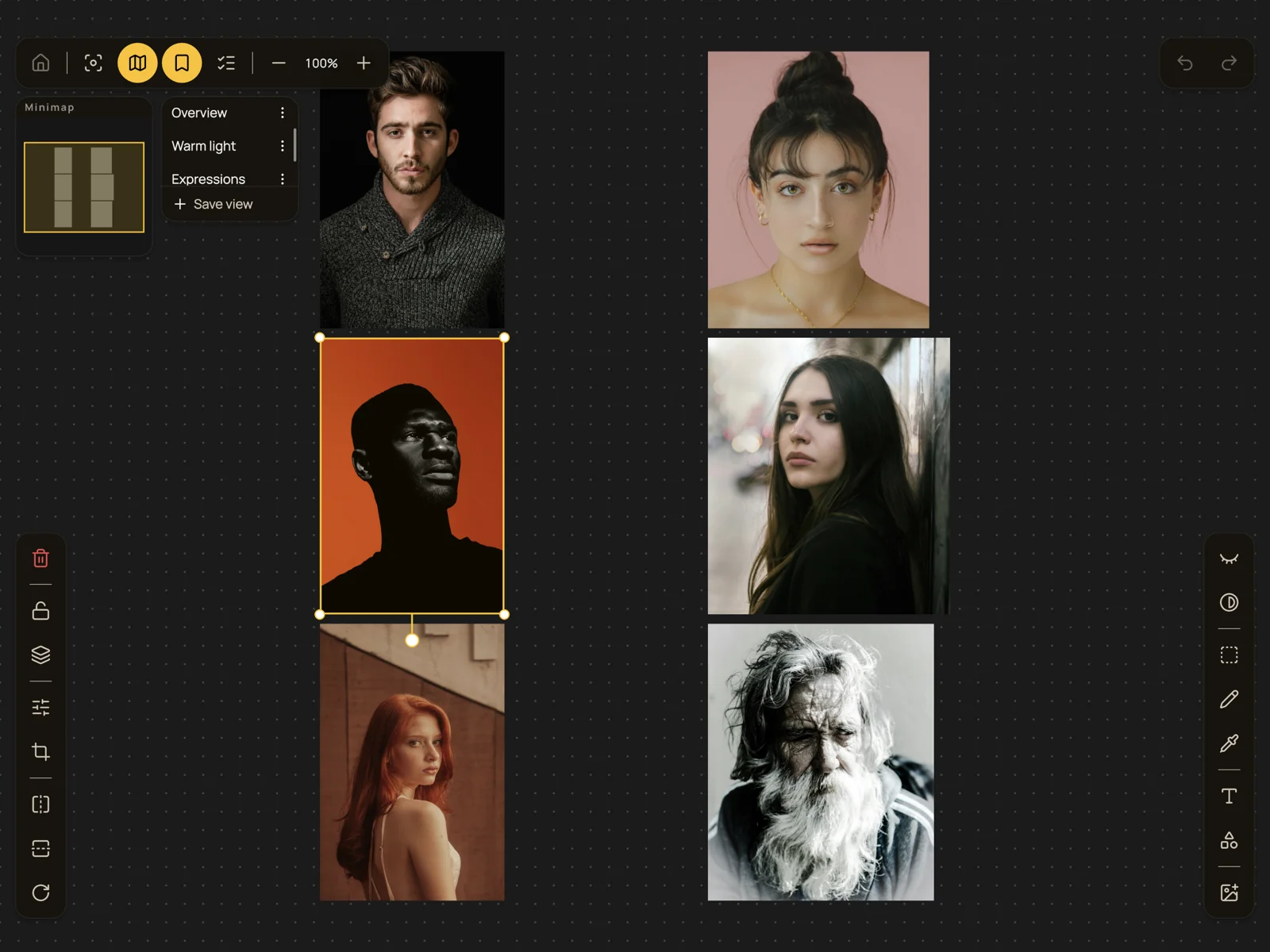
Save the spots you keep coming back to, with a minimap to hold your place. Zooms from 2% to 25,600%.
Brightness, contrast and saturation, plus a non-destructive crop. The original is always recoverable.
Artwork: jewiesartspace · Photos: Albert Dera, Jimmy Fermin, Lucas Gouvea, Daniil Lobachev, Gabriel Silverio & Donald Teel on Unsplash
Proref lives happily in half a screen — and that half is still a canvas you can work on.
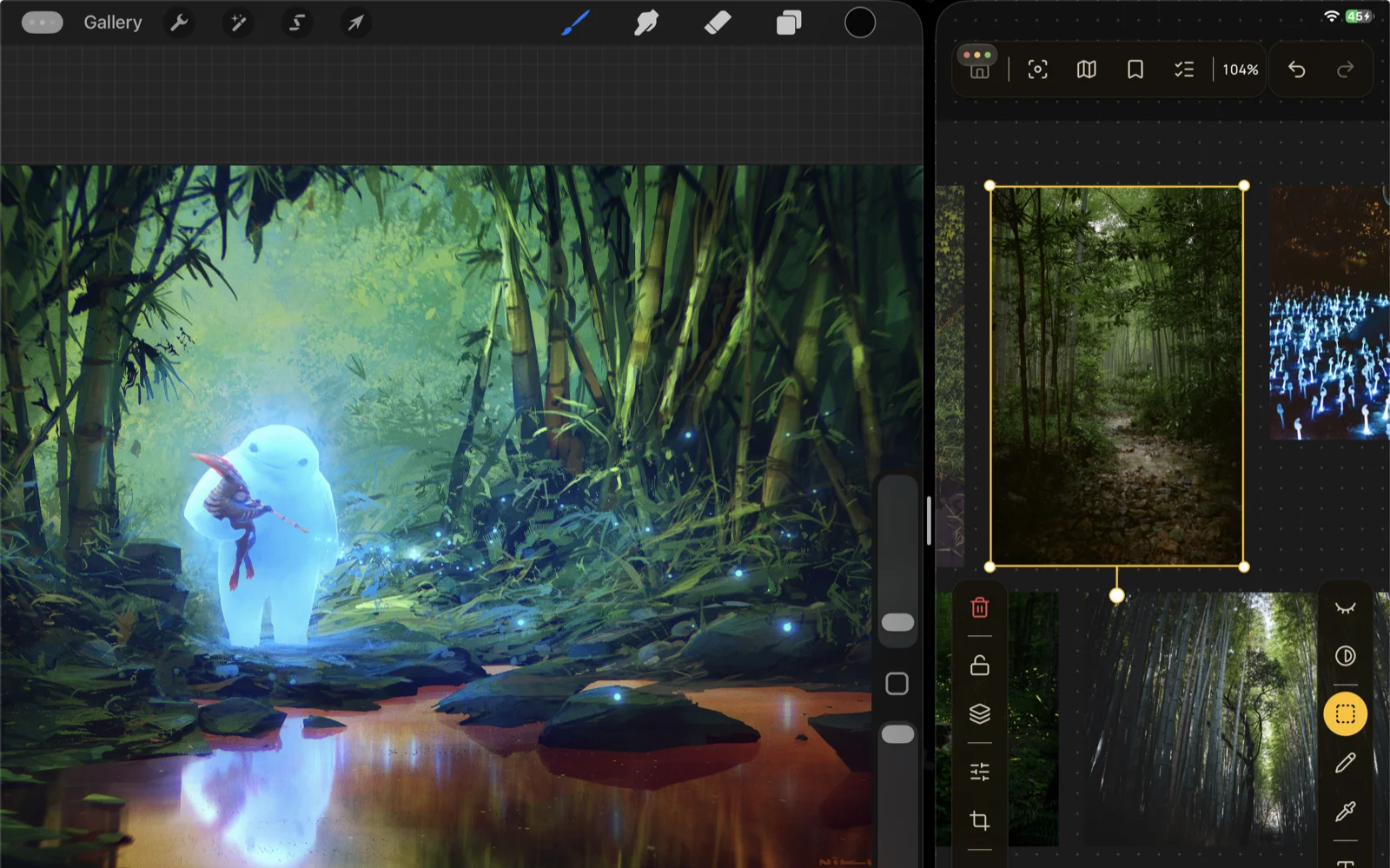
Your references on one side, Procreate or your drawing app of choice on the other. Drag and drop images straight from the browser, without leaving your painting.
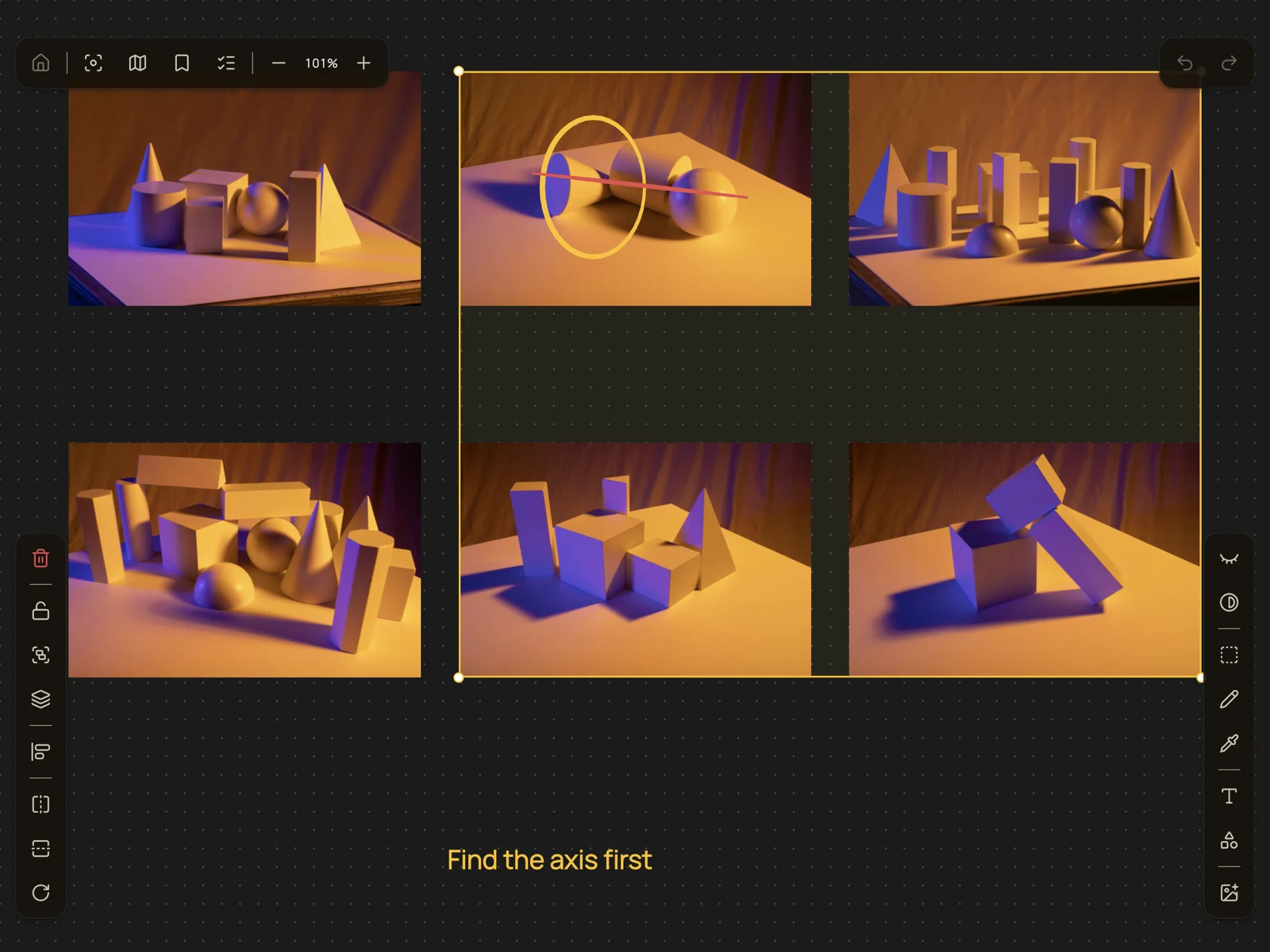
Sketch and annotate over your references — Apple Pencil with pressure on iPad, stylus or finger on Android. Notes and shapes too.
Painting on the Procreate canvas: Nikolai Lockertsen · Photos: Ersin Olgunsoy, Zetong Li, Jay, @seelean & Jeff Finley on Unsplash · Reference Pictures
A finished piece isn’t the end of it. What you noticed while making it is worth more on the next one.
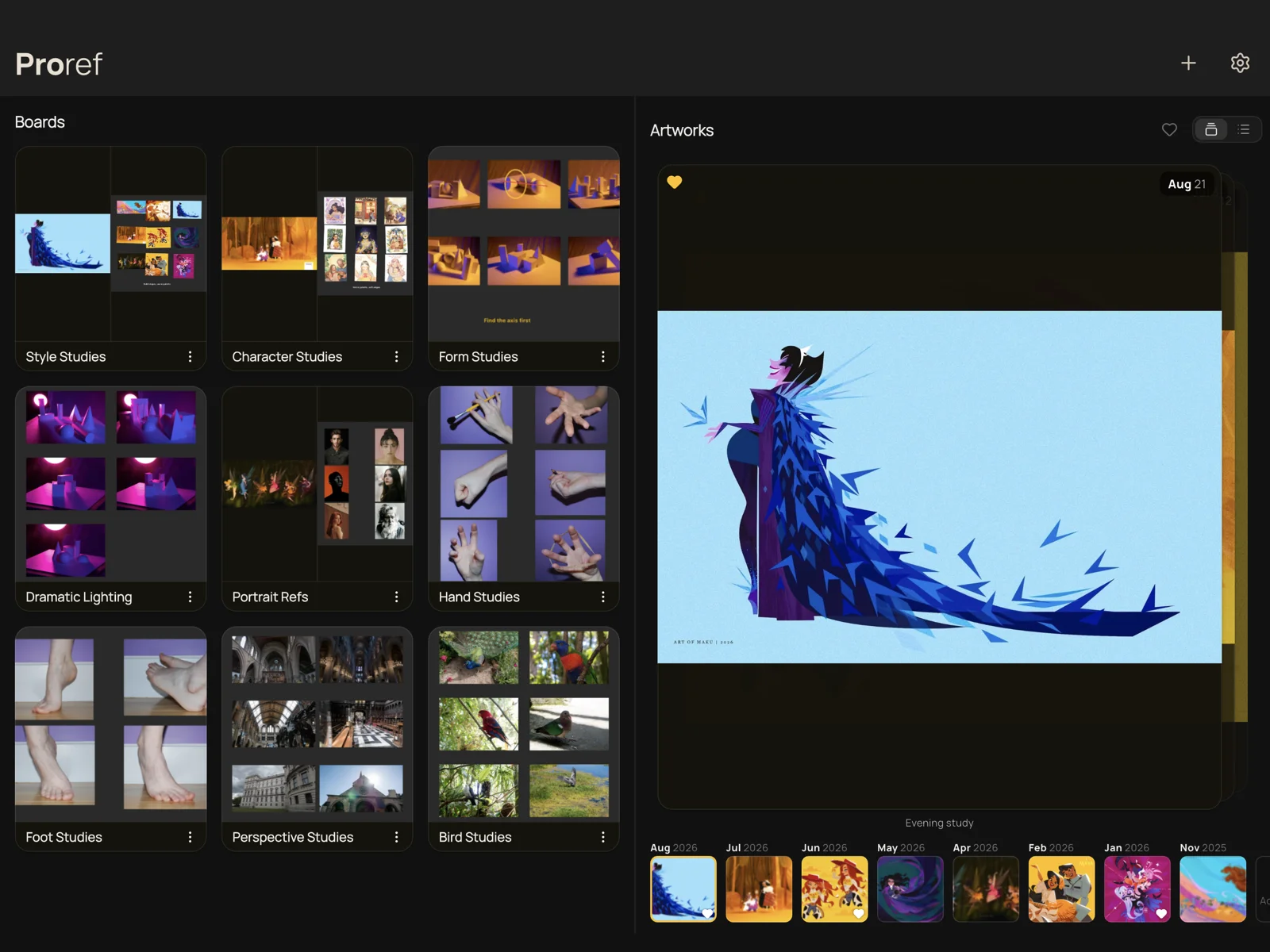
Attach a finished piece to the board it came from, and see everything you’ve made on a dated timeline.
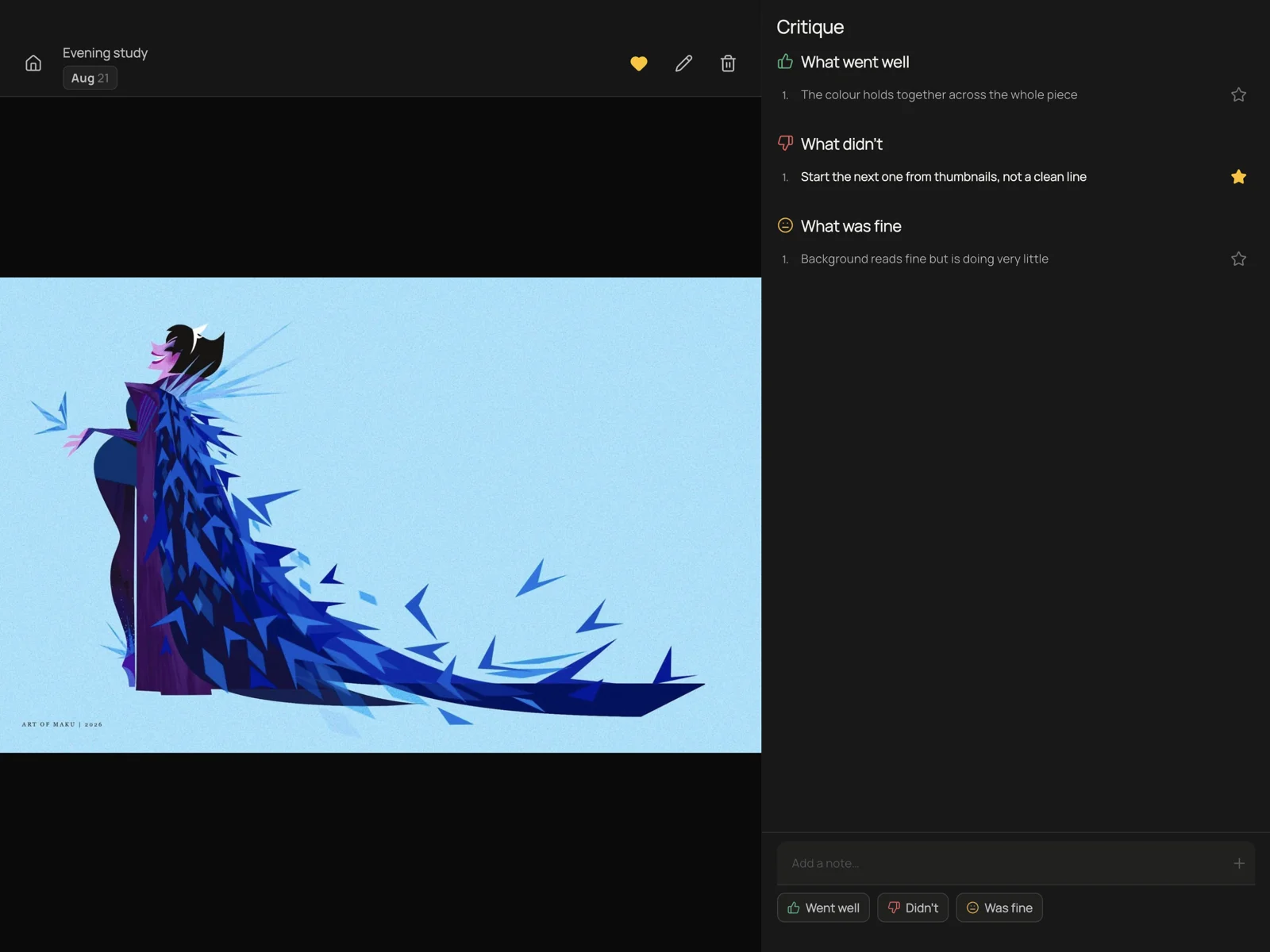
Note it while it’s fresh, and the ones you star sit on the board while you draw the next piece.
Artwork: Maku & jewiesartspace · Photos: AdorkaStock, Reference Pictures & Unsplash
The rest of it, without the tour.
No accounts. No tracking. No cloud. Everything stays on your device.
Read the privacy policy — it's short.
The whole app, smaller scale
One-time purchase · no subscription
Buy once. Yours forever, on all your devices.
Not yet. Proref is deliberately local-only — no account, no server. Optional iCloud sync is being considered.
Yes, entirely. There's no server to reach, so everything works with no connection — the one exception is importing an image from a web link.
They go with it — your boards live only on your device. So before you do, back up: Settings exports your whole library — every board, image, finished piece and note — as a single file you can store anywhere and restore on any device. Backing up is free, not a Pro feature.
By default, yes — importing copies the photo, so your board keeps working even if you delete the original later. Pro can reference photos in place instead, which saves space, but then the board follows your photo library: delete a photo there and it leaves the board too.
No. One purchase, restorable on your other devices through the App Store or Google Play — Proref itself has no account.
Where your finished pieces live, beside the boards they came from, on a dated timeline. Switch it off in Settings if you only want reference boards.
Notes on your own finished piece — what went well, what didn't. Star the ones to work on and they appear on the board while you draw the next.
iPad, iPhone and Android. iPad with Apple Pencil in Split View is where it shines.
